

The Brightspace data connection
Rowseta has two separate connections to Brightspace:
| Connection | What it does | Where you manage it |
|---|---|---|
| OAuth 2.0 app (this page) | Reads your Brightspace Data Sets for syncs | Integrations > Brightspace |
| LTI 1.3 registration | Lets people open Rowseta and its widgets from Brightspace | Integrations > LTI placements, see Register Rowseta for LTI launches |
If you don’t see this menu or button, your role doesn’t include it. Ask someone who can edit roles (Owners and Admins by default).
To connect for the first time, follow Connect Brightspace.
Check the connection
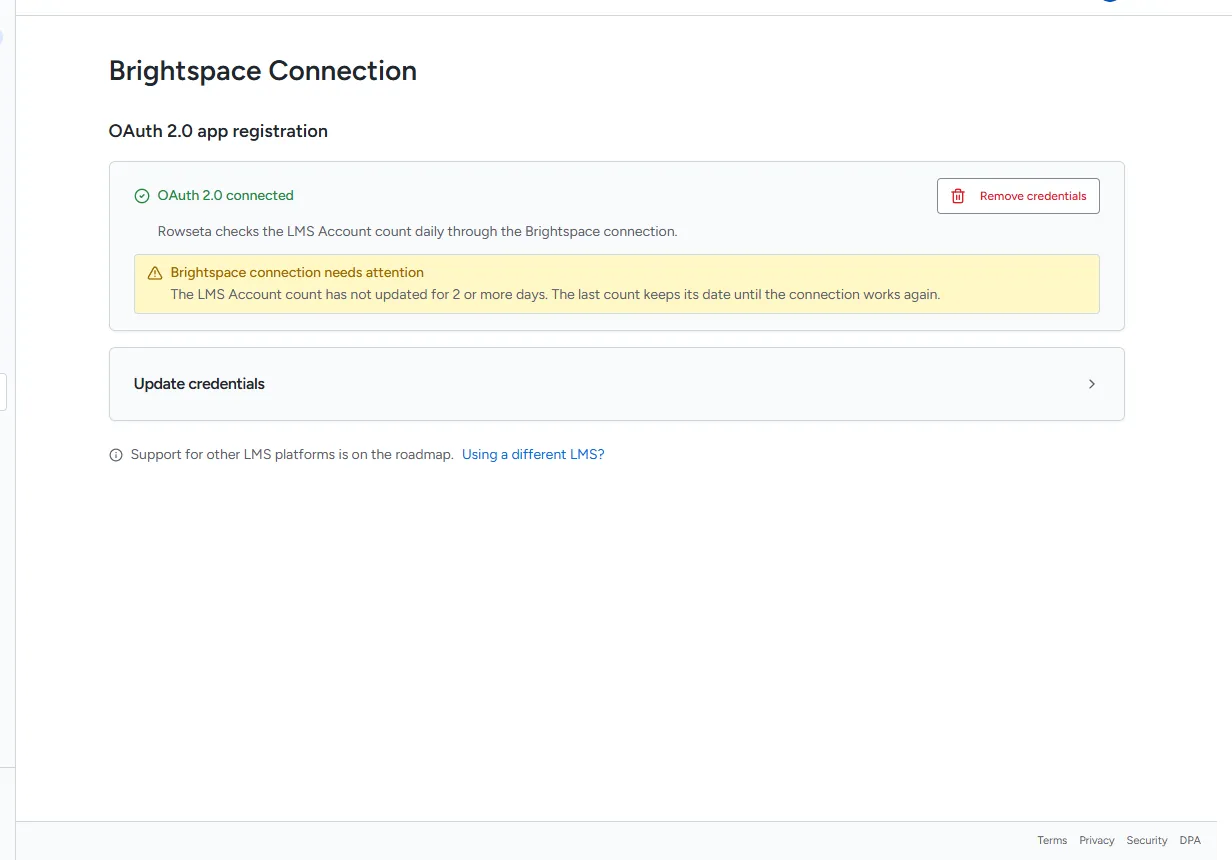
Section titled “Check the connection”In the sidebar, select Integrations > Brightspace. Under OAuth 2.0 app registration, the status reads OAuth 2.0 connected or OAuth 2.0 not connected.
Rowseta checks the LMS Account count daily through this connection. If the latest count is two or more days old, this page shows Brightspace connection needs attention. The last count keeps its As of date until the connection works again. Check the connection and credentials below, then allow the next daily count check to run. This warning does not mean your latest data sync disappeared.
Update the credentials
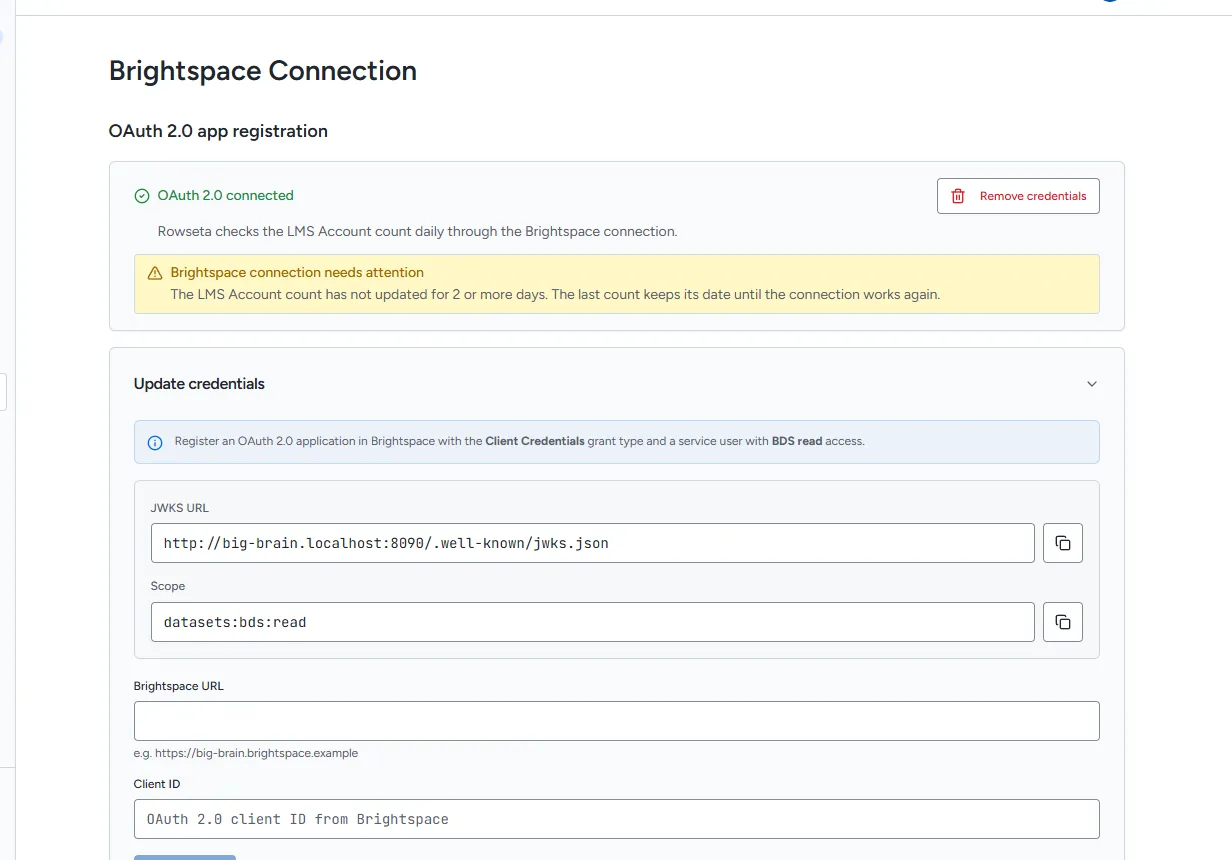
Section titled “Update the credentials”Do this when you created a new OAuth 2.0 app in Brightspace, or your Brightspace address changed.
- Select Update credentials to open the form.
- Check the values Brightspace needs: JWKS URL and Scope (
datasets:bds:read). Use the copy buttons. - Enter the Brightspace URL and the new Client ID.
- Select Test & save. Rowseta tests the connection first and saves only if the test passes. You see Connected.
If the test fails you see Connection failed. Check, in Brightspace:
- the app uses the Client Credentials grant type,
- its JWKS URL is exactly the one Rowseta shows,
- its scope includes
datasets:bds:read, - the service user added to it has Can Access Brightspace Data Sets.
Remove the credentials
Section titled “Remove the credentials”Select Remove credentials. Syncs stop until you connect again. Data already synced stays in Rowseta.