

Parameters
A parameter is a value in a report that people can change without editing the query, for example “the minimum number of visits”. Insight widgets can also set or lock parameters for each course; see Alerts and instructor controls.
Add a parameter
Section titled “Add a parameter”-
In the report builder’s SQL editor, type the parameter name between double curly braces where the value belongs, for example:
WHERE VisitCount < {{min_visits}}Names use letters, numbers and underscores, and start with a letter or underscore.
-
Rowseta detects it and adds a card to the Parameters panel.
-
On the card, set:
- Label: the name people see, for example “Minimum visits”.
- Type: Number or Text.
- Default: required. The report uses this value unless someone changes it.
- Min and Max (numbers only): the allowed range.
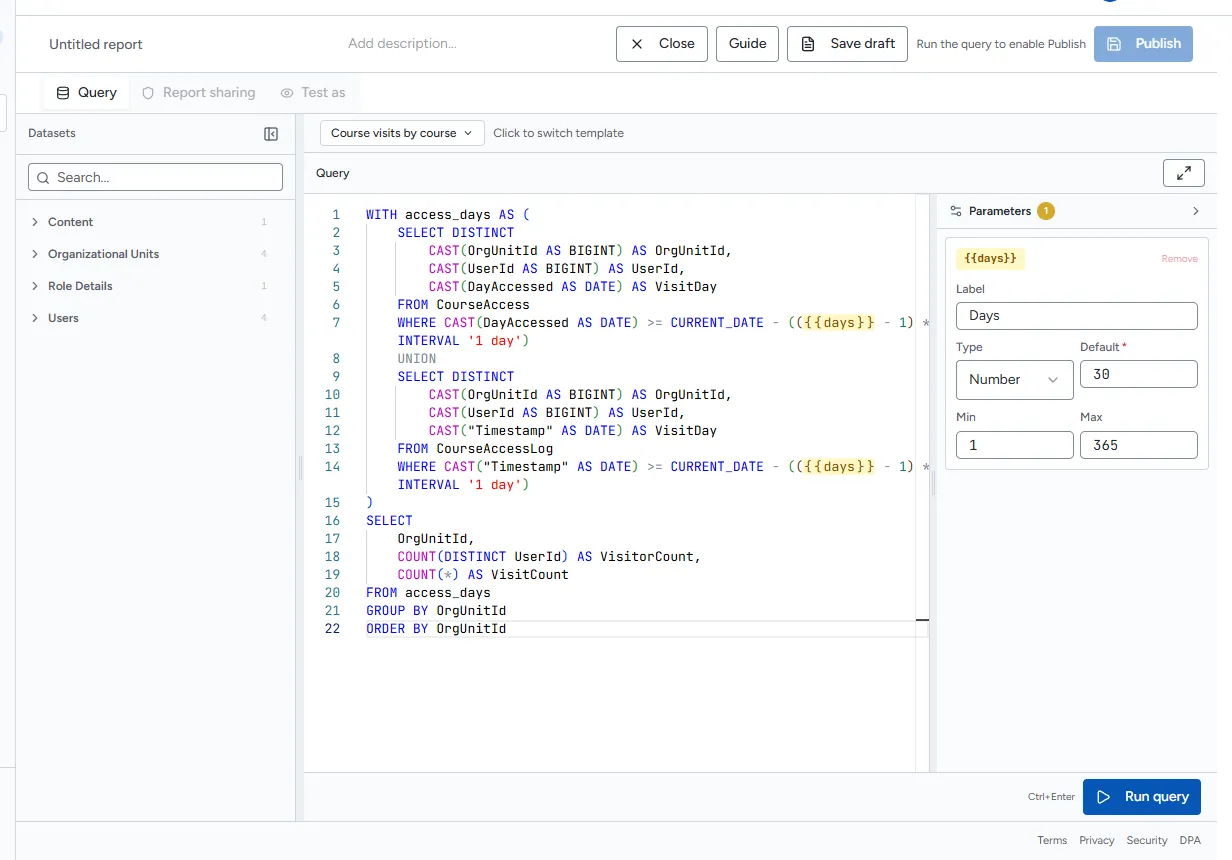
Every parameter needs a default before you can run or publish. If one is missing, Rowseta says Default value required for: and names it.
To remove a parameter, select Remove on its card; Rowseta also removes it from the query.
Change parameters when you run a report
Section titled “Change parameters when you run a report”- Open the report.
- Change the values in the bar above the results. Changed values are highlighted.
- Select Run.
Select Reset to defaults to go back to the saved defaults.
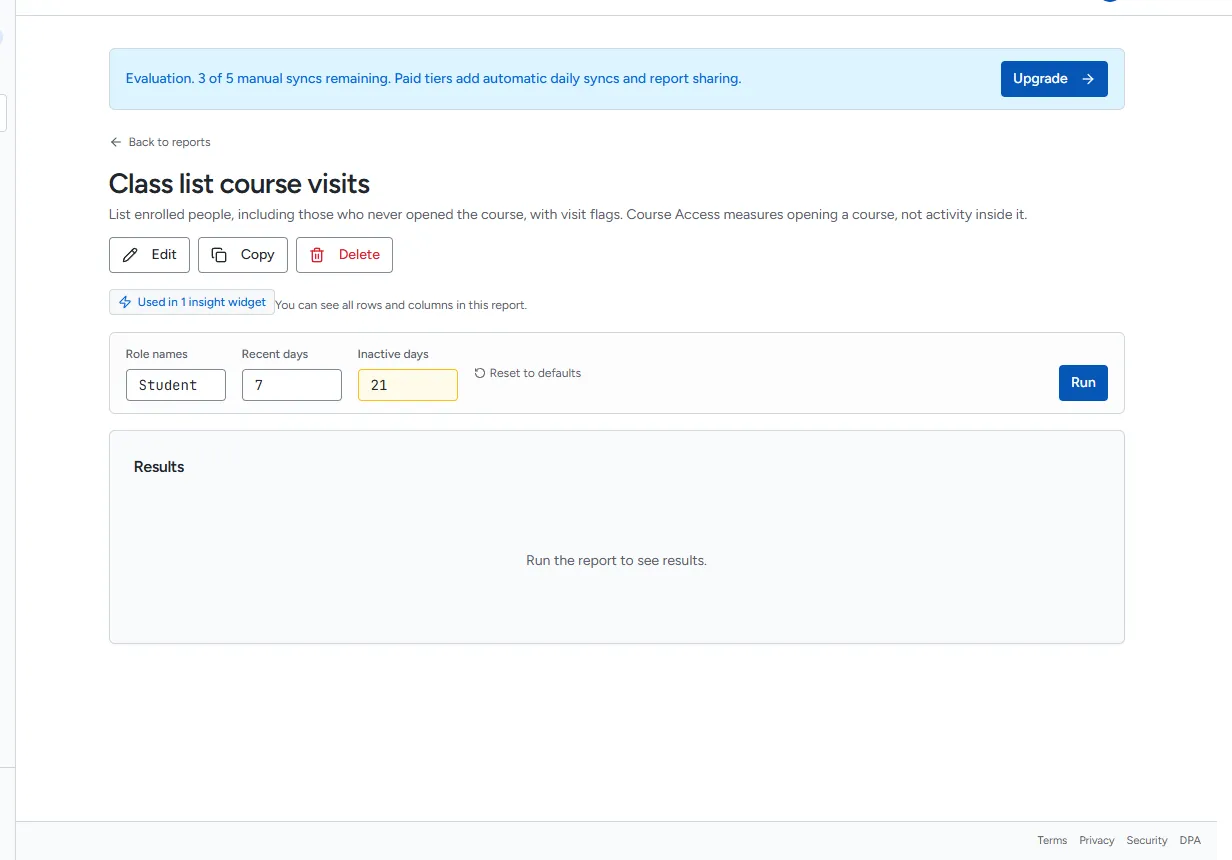
If a value is not allowed, the field says why, for example Days must be from 1 to 365. Enter an allowed value and run again.