

Report templates and system reports
You rarely need to start from a blank page. Rowseta gives you two kinds of ready-made reports.
System reports
Section titled “System reports”System reports appear on the Reports page automatically once the datasets they need are synced. They are marked System and are read-only: to change one, open it and select Copy. The copy is a normal report you can edit.
| System report | What it shows | Datasets it needs |
|---|---|---|
| LMS Accounts | The number of people who meet the LMS Account definition as of the last sync, labelled As of followed by the date | Course Access, Course Access Log, Users |
| Enrollment Trends | Monthly enrollment counts by course offering. Works with insight widgets. | User Enrollments, Organizational Units |
| Course Activity (Last 30 Days) | Active users, total user days and most recent activity per course | Course Access, Organizational Units |
| Final Grade Distribution | How final grades spread across bands per course | Grade Results, Grade Objects, Organizational Units |
| Students with Low Engagement | Students showing reduced engagement signals (inactivity, low content views, missing work, low grades) | User Enrollments, Role Details, Organizational Units, Course Access, Content Objects, Content User Progress, Grade Objects, Grade Results, Gradebook Settings, Users |
The LMS Accounts report shows the count as of your last sync. Its As of date can differ from the daily count date on Billing. The report does not update just because Rowseta checks the daily count.
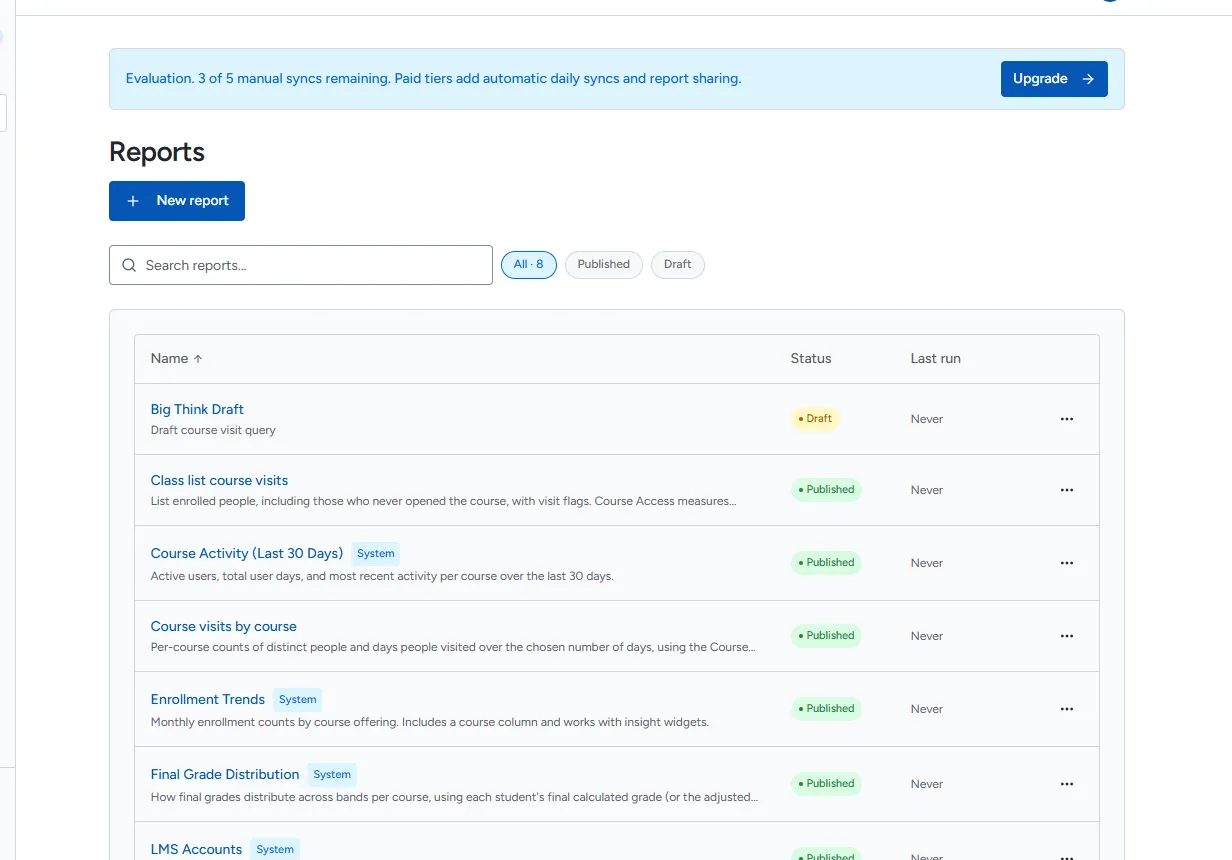
Templates
Section titled “Templates”Templates are starting queries you load into the report builder. Open Reports > New report, then select Start from a template.
| Template | What it shows | Works with insight widgets |
|---|---|---|
| LMS Accounts | Organization-wide count of LMS Accounts | No |
| Course visits per day | Organization-wide count of different people who opened at least one course each day | No |
| Inactive accounts | Accounts that have not opened a course in a chosen number of days (default 30) | No |
| Course visits by course | Per-course counts of people and days visited over a chosen number of days | Yes |
| Enrollment Trends | Monthly enrollment counts by course offering | Yes |
| Course visitors this week vs last | Distinct people who opened a course in the current and previous periods | Yes |
| Last course visit per person | Each visitor’s last course opening with recent and inactive flags | Yes |
| Class list course visits | Enrolled people, including those who never opened the course, with visit flags | Yes |
| Course enrollment by role | Enrolled people and recent course openers by role | Yes |
| Students active recently | The share of enrolled students who opened a course recently | Yes |
| Student Engagement Signals | Students in active courses with signals from course opens, content views, missing work and grades | No |
“Course Access” measures opening a course, not activity inside it. Activity inside courses, such as content, quizzes and discussions, needs more datasets.
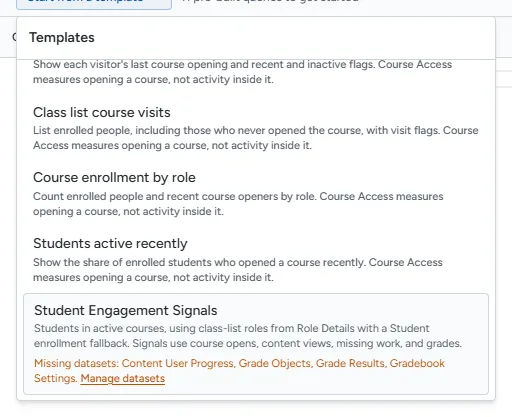
When a template shows “Missing datasets”
Section titled “When a template shows “Missing datasets””A template that needs datasets you have not synced lists them under Missing datasets: and cannot be selected.
- If you can manage datasets, select Manage datasets, enable the listed datasets and run a sync. See Manage datasets.
- Otherwise ask for help enabling those datasets.
If you don’t see this menu or button, your role doesn’t include it. Ask someone who can edit roles (Owners and Admins by default).
Loading a template over existing SQL
Section titled “Loading a template over existing SQL”If the editor already has a query, Rowseta asks Replace the current SQL with this template? Selecting Replace replaces both the SQL and its parameter definitions.
Which reports work with insight widgets
Section titled “Which reports work with insight widgets”A report can feed an insight widget when it is published and its results include an OrgUnitId (or Org Unit Id) column, so Rowseta can limit the numbers to one course. The templates marked “Yes” above already do. See Create an insight widget.