

Run your first sync
The first sync copies your selected datasets from Brightspace into Rowseta. Until it finishes, Reports, Insight widgets and the Data pages are hidden from the sidebar.
If you don’t see this menu or button, your role doesn’t include it. Ask someone who can edit roles (Owners and Admins by default).
1. Start the sync
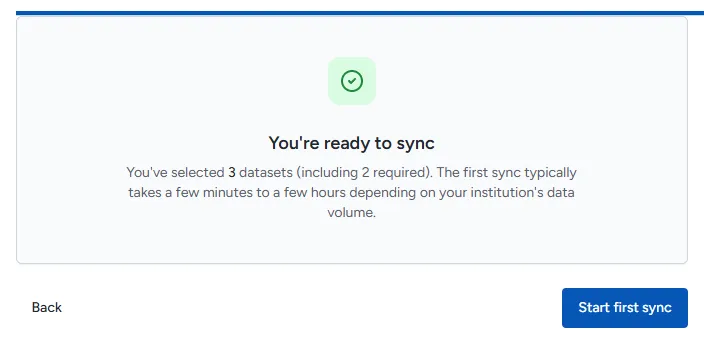
Section titled “1. Start the sync”- On Step 3 of 3: Start sync, check the summary: how many datasets you selected and, when Brightspace reports it, about how much data will be pulled.
- Select Start first sync.
The first sync typically takes a few minutes to a few hours, depending on how much data your institution has.
2. Follow the progress
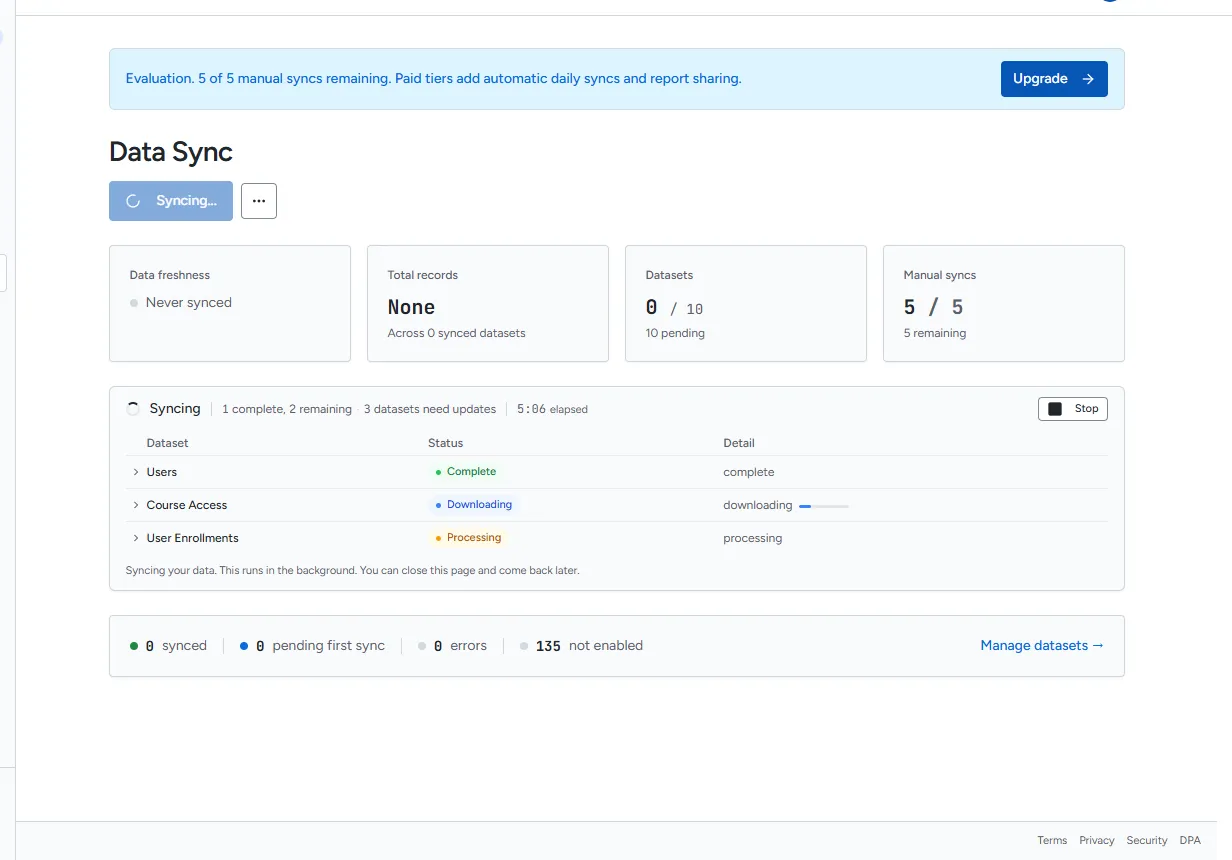
Section titled “2. Follow the progress”Rowseta opens Data Sync, which shows each dataset moving through Queued, Downloading, Processing and Saving. Home shows First sync in progress with a count of datasets complete.
The sync runs in the background. You can close the page and come back later.
3. When it finishes
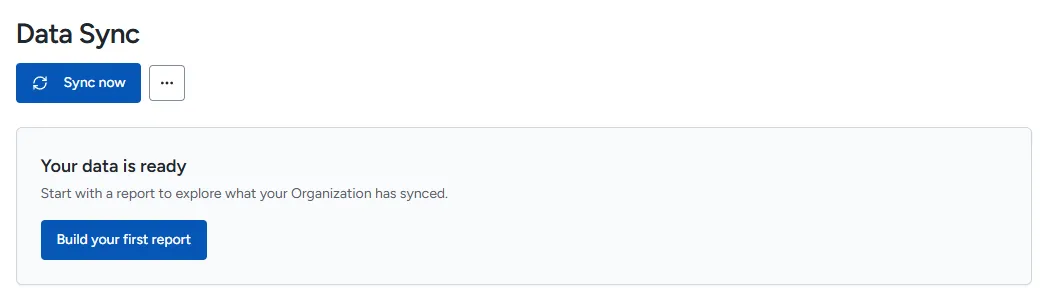
Section titled “3. When it finishes”Data Sync shows Your data is ready, and Reports, Insight widgets and the Data pages appear in the sidebar. Select Build your first report to continue.
If the first sync fails
Section titled “If the first sync fails”Home shows The first sync did not complete and a Recover the first sync card with the reason and, when known, the list of failed datasets.
- Fix the cause shown in the message. Connection problems are listed in Troubleshooting sync and datasets.
- Select Retry first sync.
If your role cannot start syncs, Home says The first sync needs recovery and names who can help.
Manual syncs in Evaluation
Section titled “Manual syncs in Evaluation”In Evaluation, syncs are manual and limited. Data Sync shows Manual syncs with how many you have left, and every page shows the same count in the Evaluation banner.
- A sync uses one manual sync only when it finishes with data you can use. A sync that fails does not use one.
- Before a manual sync, Rowseta asks Use a manual sync? and tells you how many remain.
- When none remain, your data stays available but stops refreshing until you choose a paid plan.
Paid plans add automatic syncs: Rowseta checks Brightspace for new data every hour. See Billing.